
One sign-up — access to all tools
Sales, documents and finance — no matter where you sell
Work directly in OneB, connect Prom.ua, your own website, CRM or ERP — or hand the integration over to our team. Invoices, documents, VAT, payments and financial results stay in one workspace.
- Diia.Signature
- No commission
- VAT accounting
- Artificial intelligence
7 days without limits, then — according to the pricing plan.
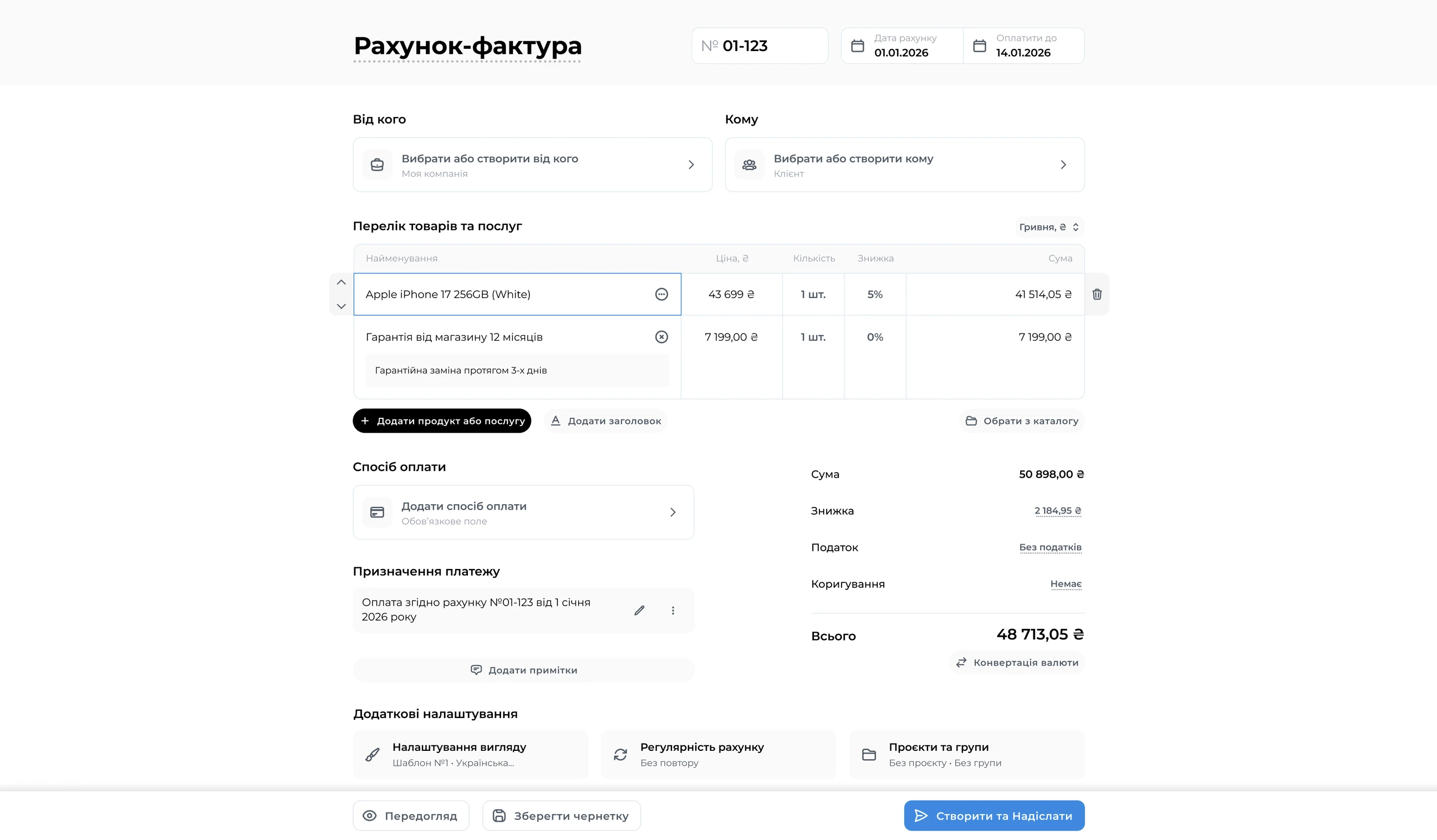
Documents, money and goods — in one ecosystem


Prom.ua and orders
 Prom.ua integration
- Invoices created from orders
- A single client and document history

Invoices and payments
- Prepayment or installments
- QR and quick payment flows
- Payment reminders
- Amount adjustments, discounts and surcharges

Documents and Diia.Signature
- Invoices, certificates and delivery notes
- Signing with Diia.Signature
- File-based e-signature
- Document history

VAT and taxes
- With VAT
- Without VAT
- Custom tax type
- Suitable for sole proprietors and LLCs


OneB Finance
Bank sync, taxes, expenses and the real profitability of your e-commerce business.
Learn More

All banks in one place
- Integration with Monobank, PrivatBank, A-Bank
- Import statements from other banks

Fees and real expenses
- Acquiring fees
- Marketing
- Purchasing and delivery
Taxes and VAT
- Automatic tax rates
- Tax burden
- Accurate financial reports

P&L, Cash Flow and budgets
- Cash flow
- Profit and loss
- Monthly / quarterly / annual budgets
- Financial metrics
Beta



OneB Warehouse
OneB inventory management: stock with reservations, batches by purchase price and stock counts. Now in beta with early access.
Learn More
Product catalog
- SKU, barcode and units of measure
- Categories and subcategories
- Multiple companies and warehouses

Stock
- Quantity, reserved and available
- Stock movement
- Target stock levels

Purchasing
- Suppliers
- Goods receipts
- Batches by purchase price

Connected to the ecosystem
- Invoice → sale
- Finance → financial result
- Warehouse → goods and stock
A sale can start anywhere
OneB picks up orders, documents and payments and takes the process to a clear result.
- OneB Invoice
Prom.ua / CRM / ERP / website / manually
Work directly in OneB, connect Prom.ua, your own website, CRM or ERP — or hand the integration over to our team.
 Prom.ua integration
- Invoices created from orders
- A single client and document history
- OneB Invoice
Order and client
An order, invoice or estimate appears in OneB Invoice for confirmation.
- You check the price, quantity, VAT, discounts and other terms
- Amount adjustments, discounts and surcharges
- A single client and document history
- OneB Invoice
Invoice, delivery note or certificate
Sales, documents and client payments — from the order to a signed document.
- Invoices, certificates and delivery notes
- With or without VAT
- Custom tax type
- Suitable for sole proprietors and LLCs
- OneB Invoice
Diia.Signature or e-signature
- Signing with Diia.Signature
- File-based e-signature
- Document history
- OneB Invoice
Payment and bank sync
Payment goes straight to the company’s account with no commission, and statements sync with banks in OneB Finance.
- Prepayment or installments
- QR and quick payment flows
- Payment reminders
- Integration with Monobank, PrivatBank, A-Bank
- OneB Finance
Taxes, P&L, Cash Flow, profit
Bank sync, taxes, expenses and the real profitability of your e-commerce business.
- Automatic tax rates
- Acquiring fees, marketing, purchasing and delivery
- Cash flow, profit and loss
- Monthly / quarterly / annual budgets



Integration
Connect Prom.ua to OneB Invoice and get paid straight to your company’s account with no commission — in just 1–2 clicks.
The client places an order
On your Prom.ua store

An invoice is created
Automatically in our service
The client gets a notification
With a payment link
Payment syncs
The status updates on Prom.ua
Your personal portal
If you don’t need a separate store, sell through a simple link
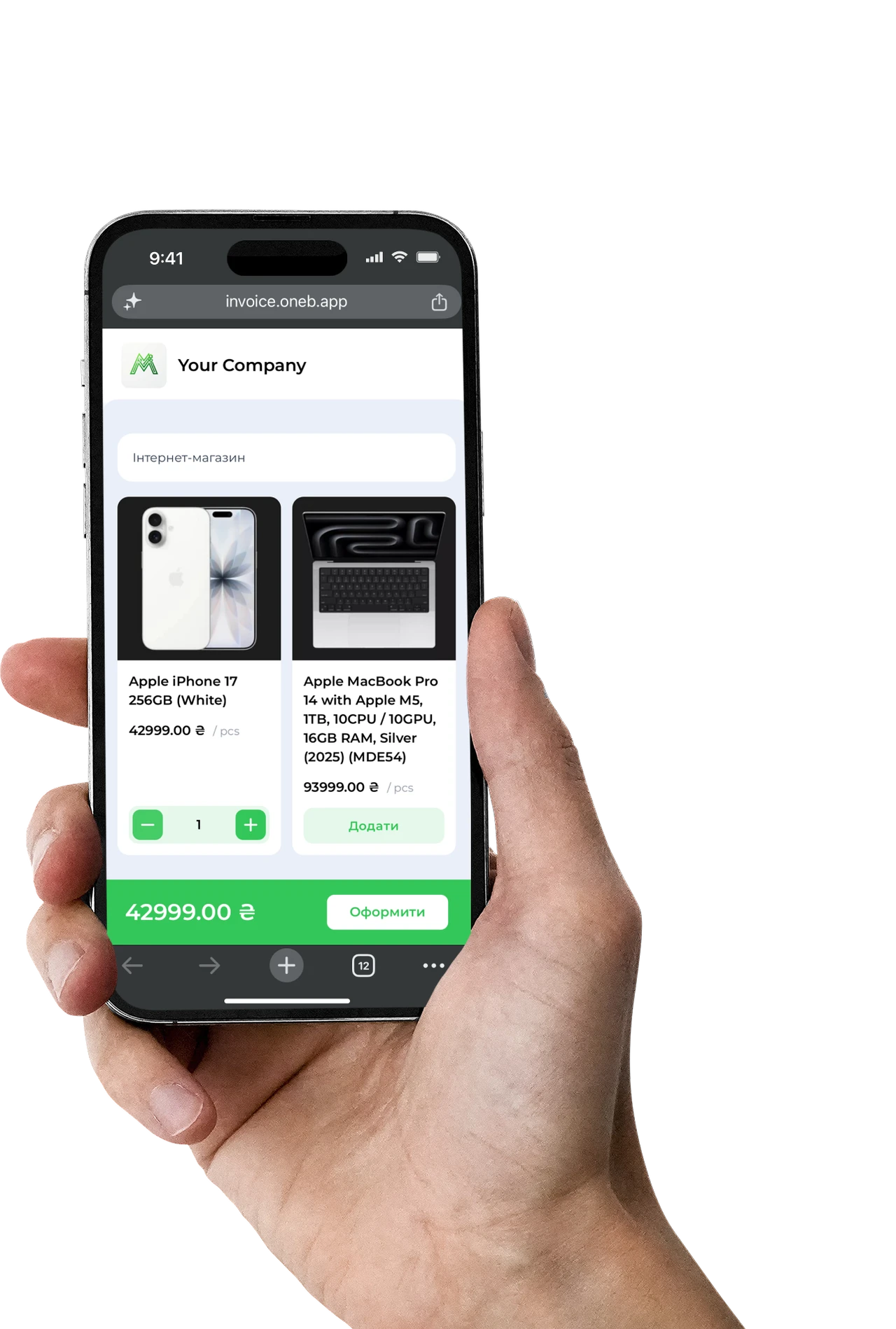
Portal → order →invoice → payment
You set up a product catalog and get a simple link you can send to a client or add to social media.
- 1The client follows the link and picks the products they need.
- 2An order, invoice or estimate appears in OneB Invoice for confirmation.
- 3You check the price, quantity, VAT, discounts and other terms.
- 4The confirmed invoice is sent to the client by email or messenger for payment.
Especially handy for B2B sales, Instagram stores and repeat orders from regular clients.
Questions and Answers
We will try to answer briefly the most popular questions about our service
Choose a pricing plan
A thirty-day trial period without limitations, then according to the tariff plan.

Your data is securely protected on the Google Cloud cloud platform, and all information is stored in accordance with international information protection standards such as ISO 27001 and ISO 27701.
Sign Up For Free


© 2026 All rights reserved

Glory to Ukraine
Development of AIW Systems