
School accounting — access to all tools
Finance, documents and team for private education
Connect admission, contracts, recurring payments, VAT, team management and financial control in one OneB workspace. For private schools, lyceums, colleges and universities.
- OneB Invoice
- OneB Finance
- OneB Staff
- AI assistant


7 days without limits, then — according to the pricing plan.
Documents, finance and the school team — on one platform
OneB modules work together: client data flows into contracts, invoices, finance and team management without duplication.


Contracts and public offers
Templates pull in the details of the school, the payer and the student.

Invoices and payments
Monthly and semester charges, VAT, discounts and payment schedules.

Payment tracking
Statuses, reminders, debts and automatic reconciliation without Excel.

Diia.Signature and monoKEP
Legally binding signatures from a phone, without visiting the school.


Budgeting
Plan the school budget and track execution by area.

Plan vs. actual
Compare planned and actual figures in real time.

All banks in one place
Sync with Monobank, PrivatBank and A-Bank.

Reports for the head
P&L, Cash Flow, balance and receivables in clear analytics.



Team and personal data
One database of staff, positions, documents and change history.

Payouts and salaries
Accruals, bonuses, deductions and control of team payouts.

Absences
Vacations, sick leave and parental leave in one work calendar.

Automatic length of service
Length of service calculated without manual spreadsheets or re-entering data.
The whole journey of a student or family — in OneB
From the first application to analytics by grade and faculty. Data moves between stages automatically.
Admission applications without calls or paper
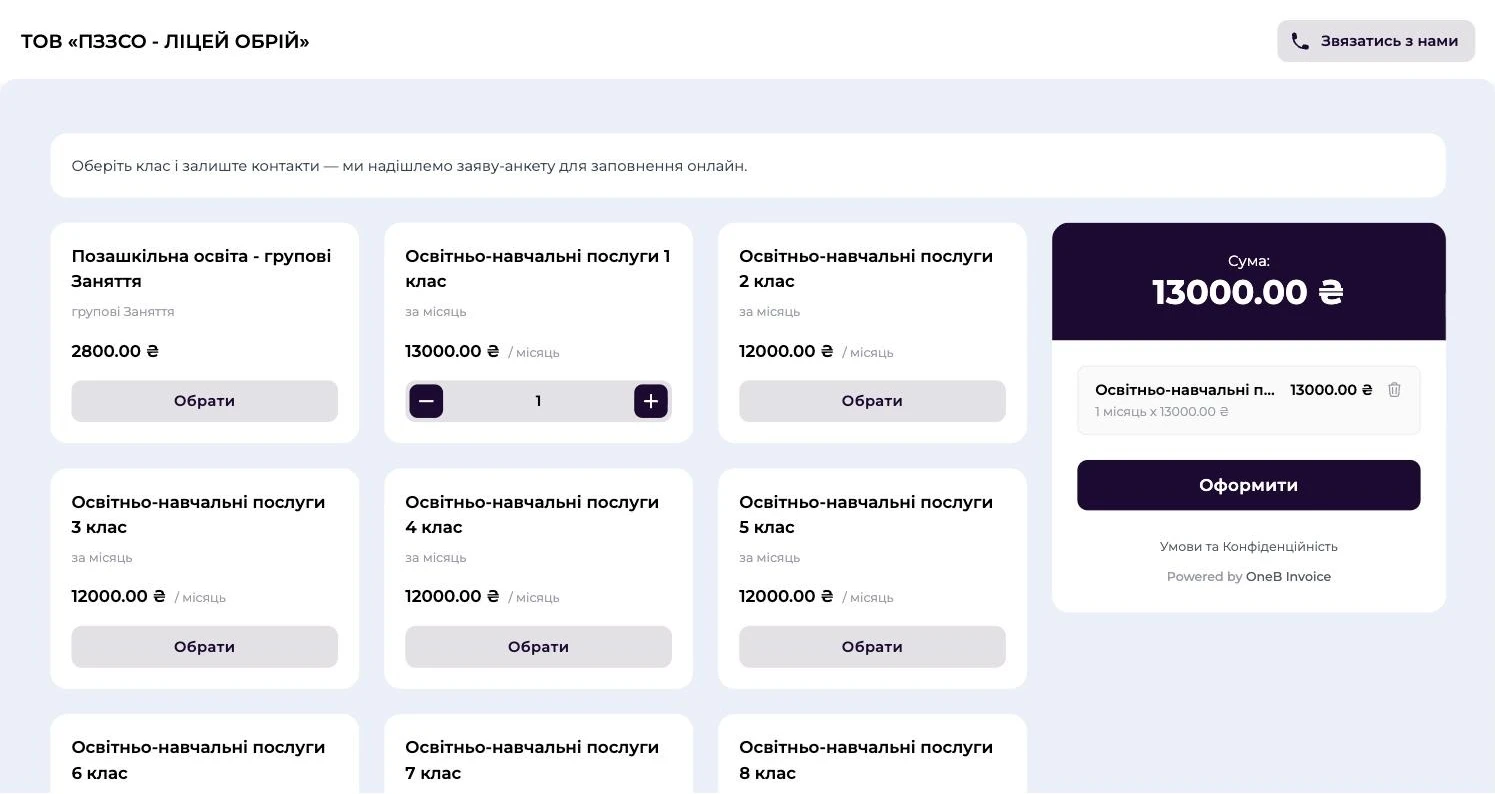
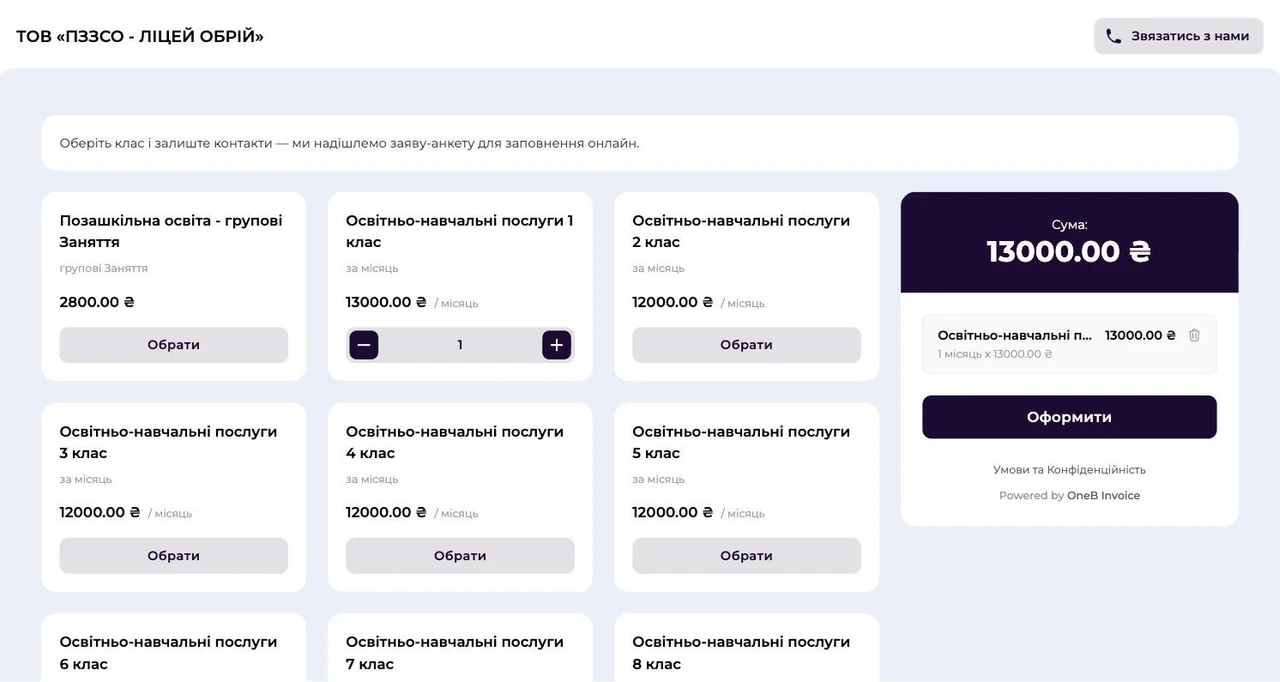
Parents or applicants choose a grade or program and leave the required details. The school instantly sees the new application and a ready client profile.
 Public admission pageGrade or program and details — from a phone, no calls
 One profile per family or studentData is entered once and flows into every document that follows
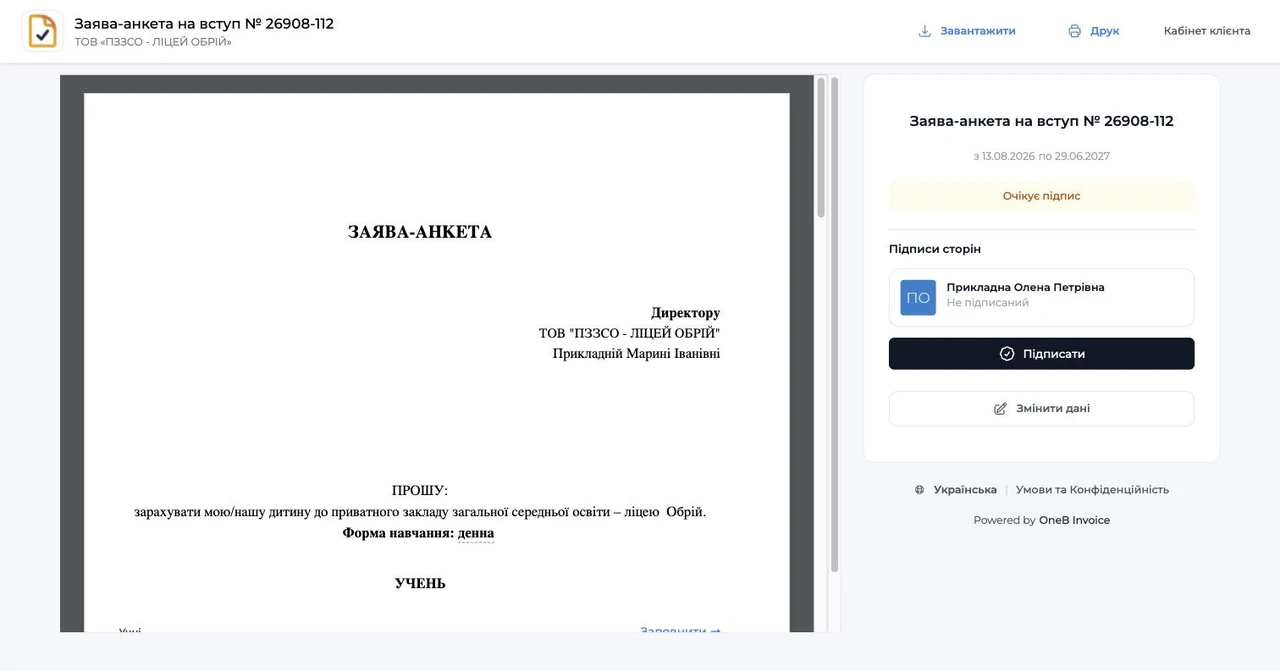
 A separate application for changing detailsRequired fields are checked before signing
Paperless admission
Clients enter their data once. Your team never retypes anything.
Application → family card →documents without retyping
A public admission page guides parents or applicants from choosing a grade or program to filling in the required details. The data goes into the client card and every document that follows.
- 1Parents or the applicant choose a grade or program on the admission page.
- 2They fill in their details once; required fields are checked before signing.
- 3The data goes into the family or student card and into every document.
- 4Changes to the data come as a separate request, with no retyping.
Example: the Prykladnyi family, with Sofia in grade 2 and Marko in grade 5. One family card, separate documents and services for each child.
Contract and signature
A contract in a minute. Signing without a visit to the school.
Template → contract →signed from a phone
OneB builds the contract from a template, adds the details of the family or student, the payer, the grade, faculty or program, and correctly declines full names in Ukrainian.
- 1The contract is built from a template and the client card data.
- 2Full names are declined in Ukrainian automatically.
- 3Parents or the student sign with Diia.Signature or monoKEP from their phone.
- 4The school signs documents for a new intake as a batch; the version history is kept.
Example: the school signed the contract on 26.08 at 10:14 and the parents the same day at 19:42, without coming to the school.
The client sees what to pay and sign. The school sees who is overdue.
Invoices are created on a monthly or semester schedule, reminders are sent automatically, and each family’s or student’s documents are collected in one branded portal.
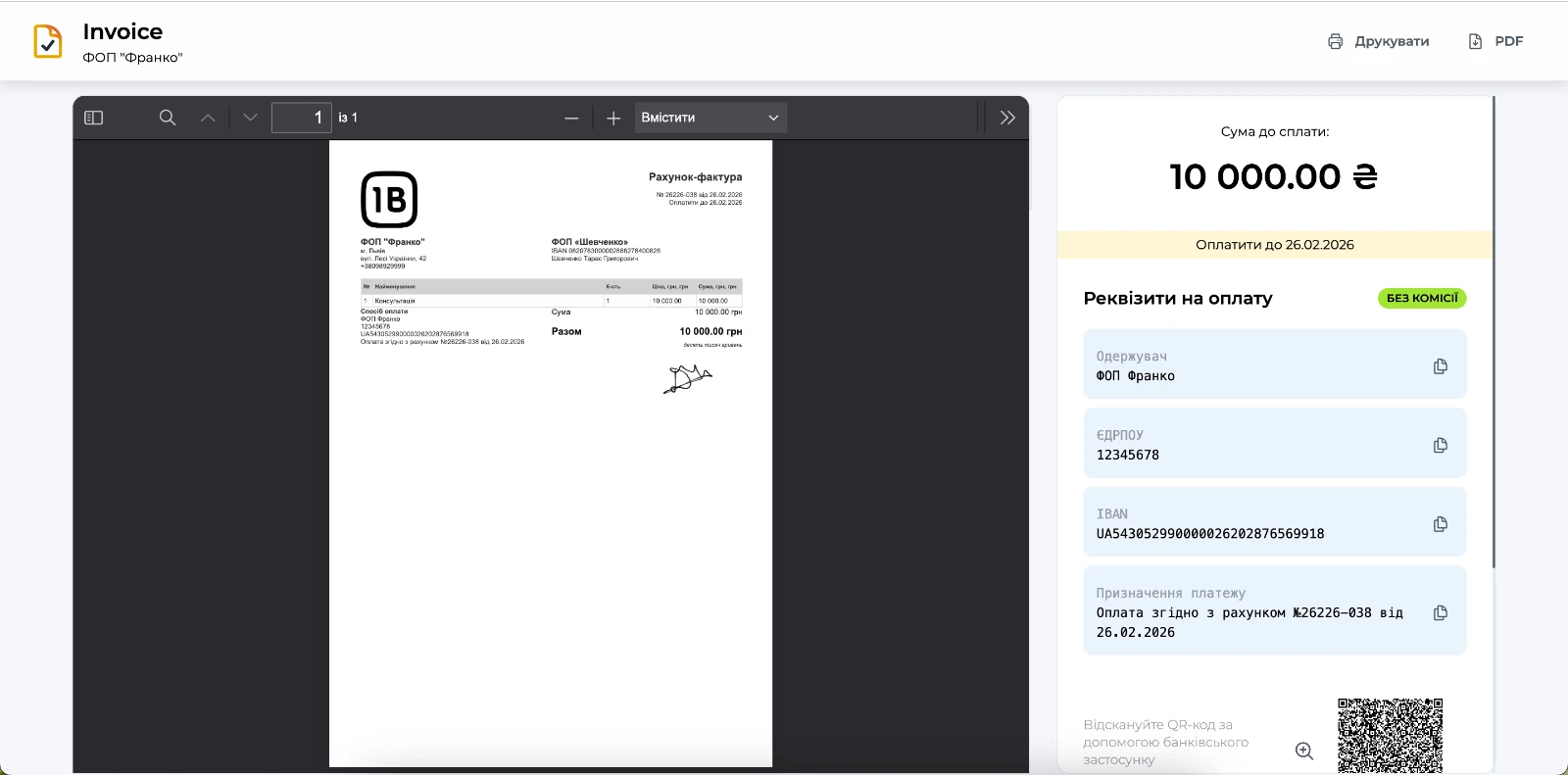
Invoices without manual routine
Monthly, semester or annual payment, discounts, a second child, prepayment and a payment schedule.

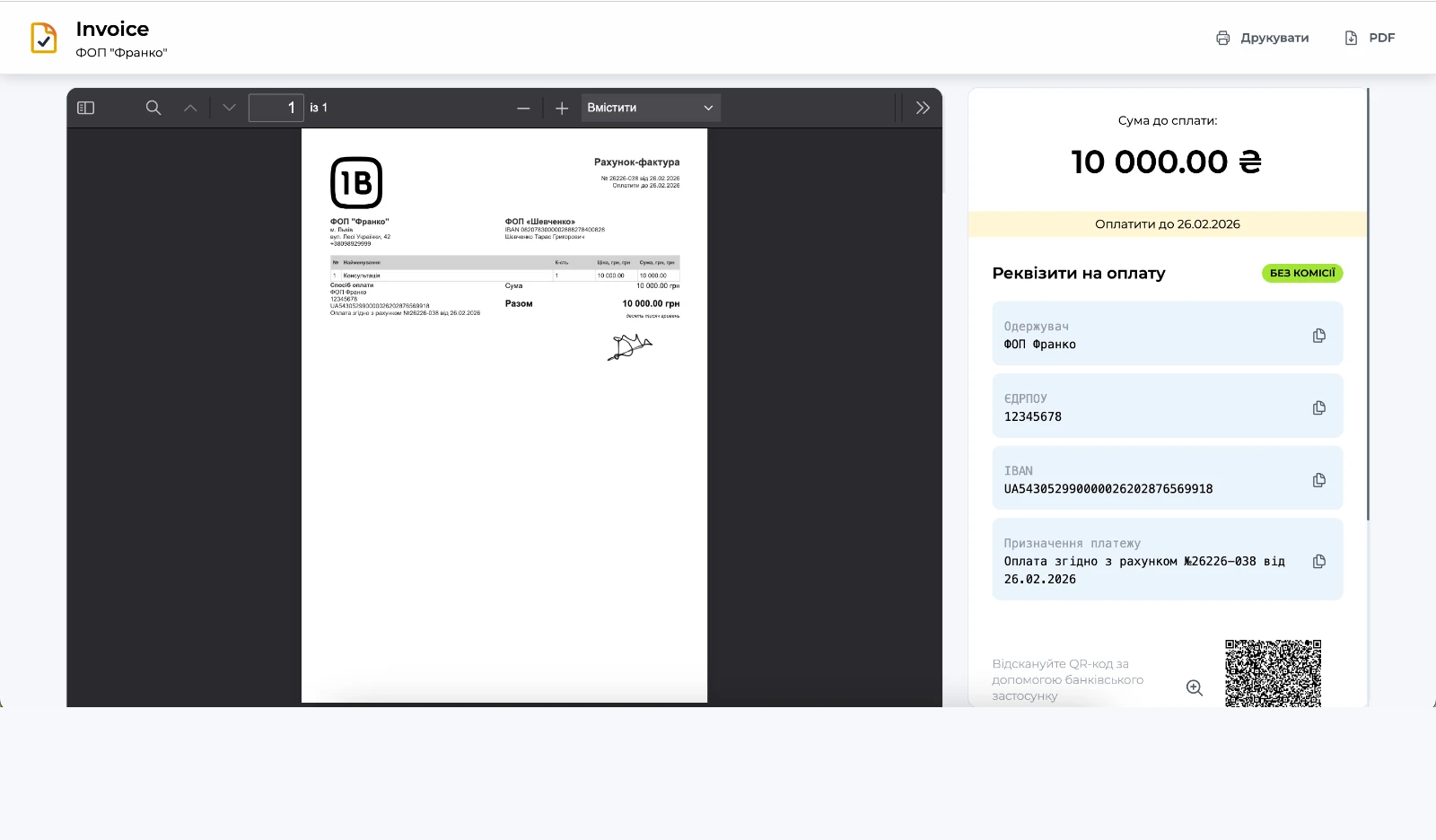
One-click payment
IBAN QR, plata by mono, SWIFT and SEPA

Parent and student portal
Contracts, invoices, requests and acts, the amount due and documents awaiting action

Recurring invoices
Issued automatically on a monthly or semester schedule

Receivables under control
Amount, due date and responsible family without Excel
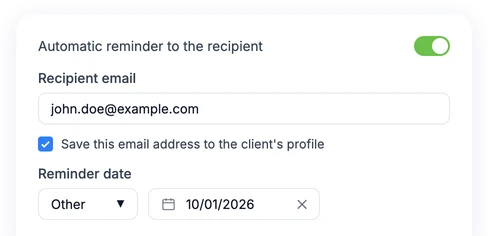
Automatic reminders
Sent before the due date — your team doesn’t message everyone by hand.
Daily meals
Parents order. The kitchen gets a ready list.
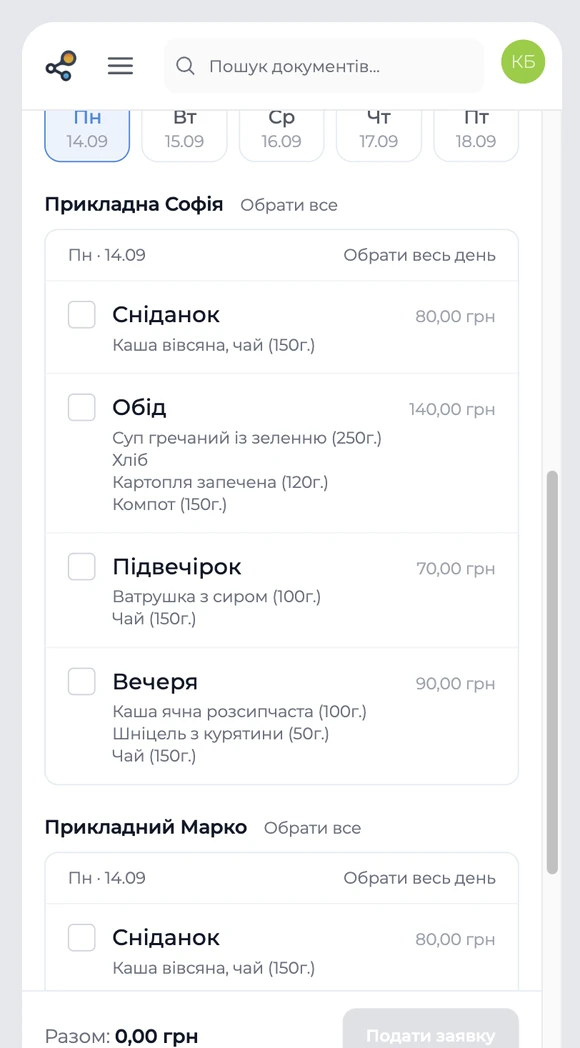
Menu → parent order →invoice → kitchen list
The school opens a week with a menu and a deadline. Parents choose meals for each child, and OneB calculates the total, creates an estimate and then an invoice.
- 1The school opens a week with a menu and a deadline.
- 2Parents choose meals for each child from a phone.
- 3OneB calculates the total, creates an estimate and then an invoice.
- 4The kitchen gets a ready list for the week.
Example: Sofia orders lunches for five days and breakfasts for Monday and Wednesday. Total — UAH 860.
All paid services and school documents — in one process
Clubs and camps
One-off requests, daily sessions or a pass for 8 sessions. A separate invoice for each service.
Painting club · UAH 2,900
Certificates and delivery notes
Items carry over from the invoice automatically. At the end of the month, documents are signed in a batch.
Certificate No. 812/A · UAH 12,000
Purchasing and finance
VAT in documents and calculations, supplier invoices, bank statements, P&L, Cash Flow and plan vs. actual budgets.
Monobank · PrivatBank · A-Bank
Analytics
Revenue by grade and service, receivables, projects, and the history of actions and document changes.
Key figures on the home screen
Scales from a private school to a university with 2,000+ students
Multiple legal entities, staff roles, batch signing, data import, custom fields and integrations with your systems.
 Multiple companies in one workspace
- Import students and invoices from a file
- API and webhooks for CRM, the dean’s office or 1C
- Languages and currencies for international students
Example scenario
Contract No. 2026/1187
Faculty of Economics · Year 1
UAH 28,000 per semester
or 4 payments of UAH 7,000
We don’t just give you access. We set OneB up for your school.
Our team supports the whole launch: from process analysis and data migration to staff training and building the features you need.
Personal manager
One responsible person runs the project, coordinates setup, gathers the team’s needs and oversees the launch.
Full implementation
We map processes, migrate data, set up templates, roles and portals, and train your staff.

Human support
We don’t leave your team alone with the help center. We help with the work, answer questions and see the process through.

Custom development
If the standard scenario is not enough, we adapt integrations and build features around your school’s processes.
AI
AI assistant helps set up your workspace and handle routine tasks.
VAT
VAT support in documents, line items and financial calculations.
UI
Personalization of templates, fields, roles, the client portal and workflow logic.
API
Integrations with banks, CRM, LMS, 1C and internal systems.
We’ll show OneB using your school or university as an example
We’ll walk through admission, contracts, payments and extra services. You’ll see how it will work at your institution.
Questions and Answers
We will try to answer briefly the most popular questions about our service
Choose a pricing plan
A thirty-day trial period without limitations, then according to the tariff plan.

Your data is securely protected on the Google Cloud cloud platform, and all information is stored in accordance with international information protection standards such as ISO 27001 and ISO 27701.
Sign Up For Free


© 2026 All rights reserved

Glory to Ukraine
Development of AIW Systems